DAPS Day in London
Season 7 Episode 4 | Posted: Tue, Jun 23, 2026 approx. 3 min read
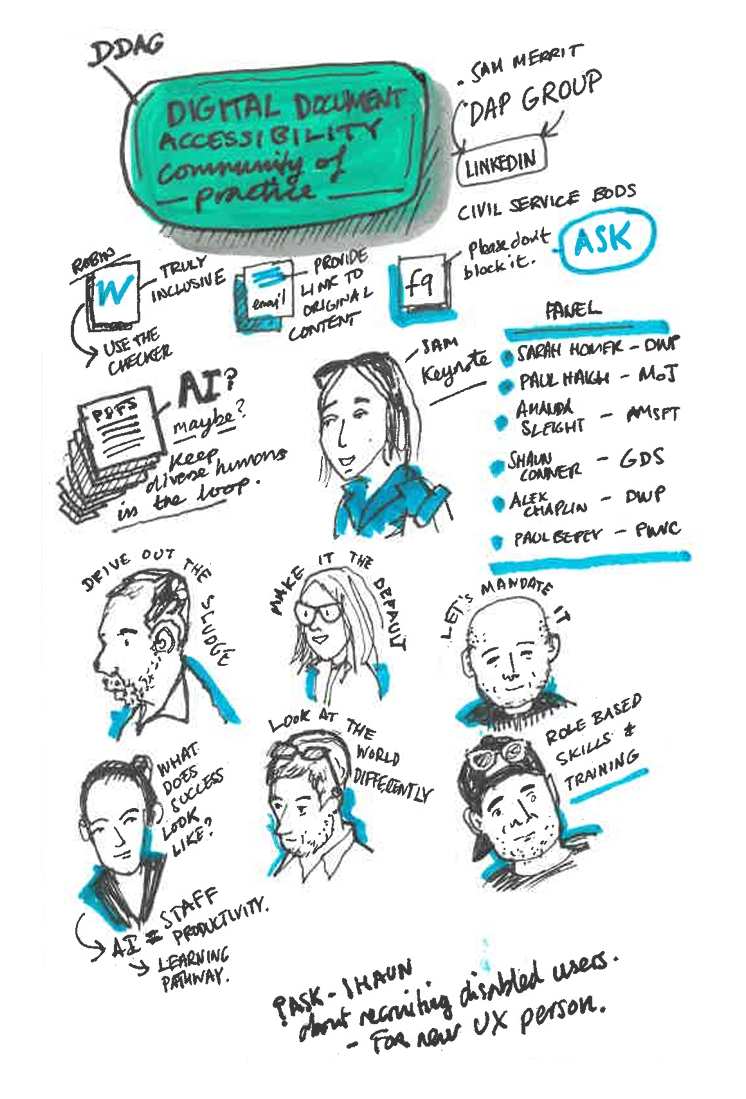
Some brief sketchnotes from first session of the day.
Just getting caught up on writing some thoughts of the Accessibility day I attended in Microsoft in London. Organised by the Document Accessibility in the Public Sector Group, it was a really helpful knowledge sharing event, but more usefully it was also gratifying to confirm that you’re not alone in thinking that documents need to be considered as much as websites.
I forget who, but one of the speakers gave a sobering stat that are estimated to be over 320 million active Microsoft Word licenses in use - quoted to emphasize the giant capability out there to create soo many documents.
I heard about one speaker’s org that has a Digital Accessibility reporting system - where people can report instances of Accessibility fails. Sounds like an approach that take sit seriously, though it must be a challenge to administer.
There was a session on Excel that educated me on some approaches that would make it better, but seemed to be aimed at organisations that use Excel as a everyday tool - something that the organization is keen to move away from. It was interesting to see how specific the advice was about providing instructions and even down to naming conventions (always a fan of those) to make a spreadsheet useful, though it does seem rather niche. It does seem to run counter to almost all the excel files I’ve ever seen, where people use it because it’s the handiest tool available, and evolves in a much less deliberate way.
A more general quote stuck out for me from one of the other sessions
“what it was created in is usually the best format to deliver it”
in response to the age old argument about PDF v Word - doesn’t have to be such a dichotomy.
Later in the day there was an interesting exercise to quiz people on whether WCAG(Web Content Accessibility Guidelines) criteria can be applied to documents, and in many cases it can; it is worth thinking in those terms to make sure documents get considered in the same breath as websites. I hadn’t thought of using that approach before and see that mapping to WCAG is a clever way to reinforce the mindset that documents need to be treated as just another format that needs to made accessible, and to move away from fruitless conversations about things being in scope or not.
For example ‘Adding title’ is a WCAG - 2.4.2 Page Title, and even though it’s not the easiest thing to do in Word - it should be done. Likewise adding Headings maps to WCAG 1.3.1 (Info and relationships)
Alos found this broad summary a handy resource that people can refer back to -
Accessibility features and who they help
- Headings and structure – everyone scanning a document
- Plain English – Everyone trying to understand quickly
- Descriptive links – Anyone skimming or multitasking
- Good contrast – People on mobile or in bright light
- Alt text –often shows when images do not load
SCULPT was also mentioned as a useful and practical method for rolling out good content accessibility awareness and practice - I recall that people mentioned it as a useful model when I was in the University, but it does need someone to drive it. The age old issue of Digital Accessibility being everyone’s responsibility and so ending up no-one’s.
It was good to summarize the day here and realize that I absorbed more than I’d realised than the welcome feeling of a community of practice, and I’m hopeful that I can throw some questions out to the group and see what they think.